- Tuesday- Thursday: 7:30 am – 11:00 pm
- Friday: 7:30 am – 6:00 pm
- Saturday: 9:00 am – 5:00 pm
- Sunday: 12:00 pm – 11:00 pm
Library Hours for August 24th – August 29th
August 24th 2021
August 24th 2021
August 12th 2021
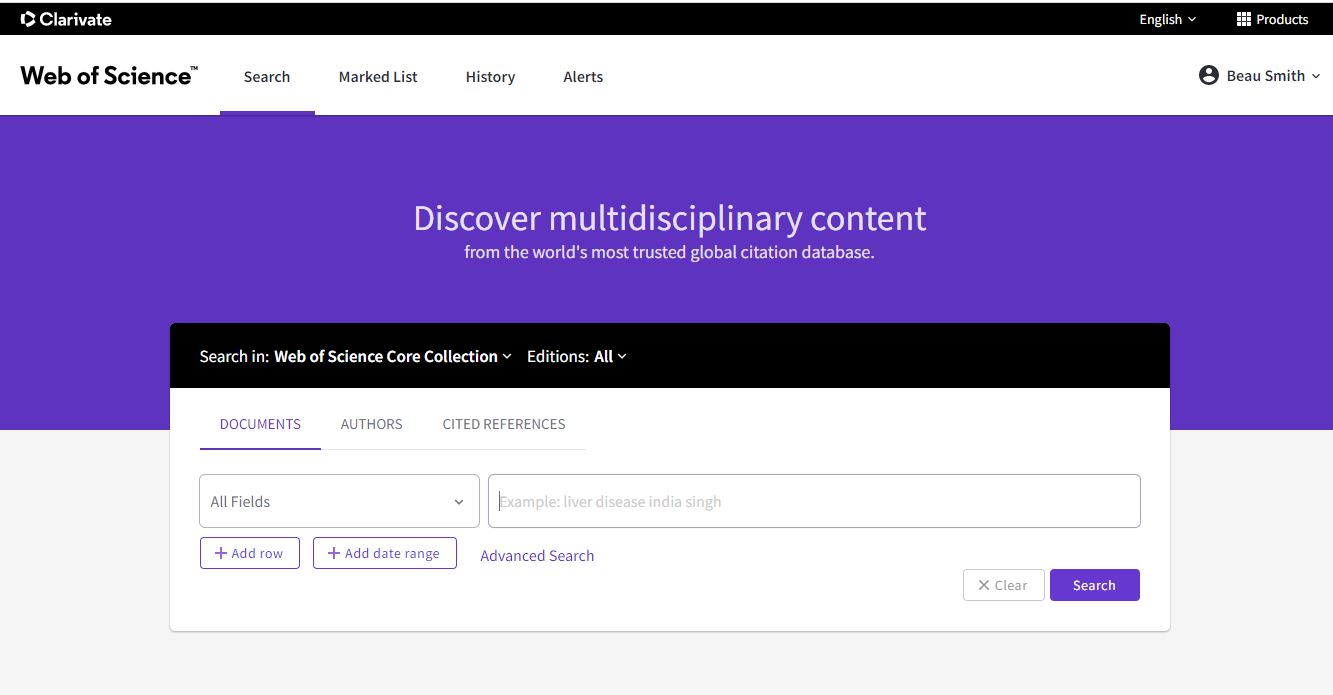
Web of Science (which includes Arts & Humanities Citation Index, Science Citation Index, and Social Science Citation Index) has implemented a new search interface that is designed to be faster and easier to use than the previous interface. Please note: in the new interface, records cannot be directly exported to RefWorks. Clarivate is working to resolve this issue. If you prefer to use the previous Web of Science search tool, click on Products in the upper righthand corner and select “Web of Science (Classic)“.
August 10th 2021
Google Meet now includes an option to reduce background noise on both desktop and mobile. Meet can remove background noises such as typing, closing a door, or the sounds of a nearby construction site.

 ..
..Tip: To check how much noise is cancelled out, next to your self preview at the top right corner of your screen, look at the Voice indicator 
.Here’s an example showing the difference it can make:
August 3rd 2021
Library and Information Services is pleased to announce significant revisions to the LITS web site. The LITS web team has worked to streamline the main LITS page, with careful attention to the resources that Allegheny students, faculty, and employees need the most. In addition, we have added a new pages focused on services for employees, and streamlined our page focused on services for students.
LITS would like especially to thank the members of AAC and SAC who provided feedback and suggestions during the development process.
LITS invites input from our campus community. Please reach out to the InfoDesk at infodesk@allegheny.edu with any questions.
August 3rd 2021
Sometimes it can be helpful to view only a subset of a Google Sheet. This is especially helpful when your spreadsheet grows unusually large or complex. Filters are one way to separate items according to your specific criteria, and especially useful if you don’t want to change what other people sharing the spreadsheet can see.
Zapier Blog provides step-by-step instructions on how to filter in Google Sheets. Technology trainer Leila Gharani presents some examples on YouTube as well:
Learn more about how to sort and filter your data in Google Sheets.
July 27th 2021
A new feature in Chrome will now help you change your passwords with a single tap.
On supported sites, whenever you check your passwords, Chrome will look for passwords that may have been compromised. If it finds one, you will see a Change password button from the Google Assistant. When you tap the button, if the site supports this feature, then Chrome will not only navigate to the site, but also go through the entire process of changing your password.
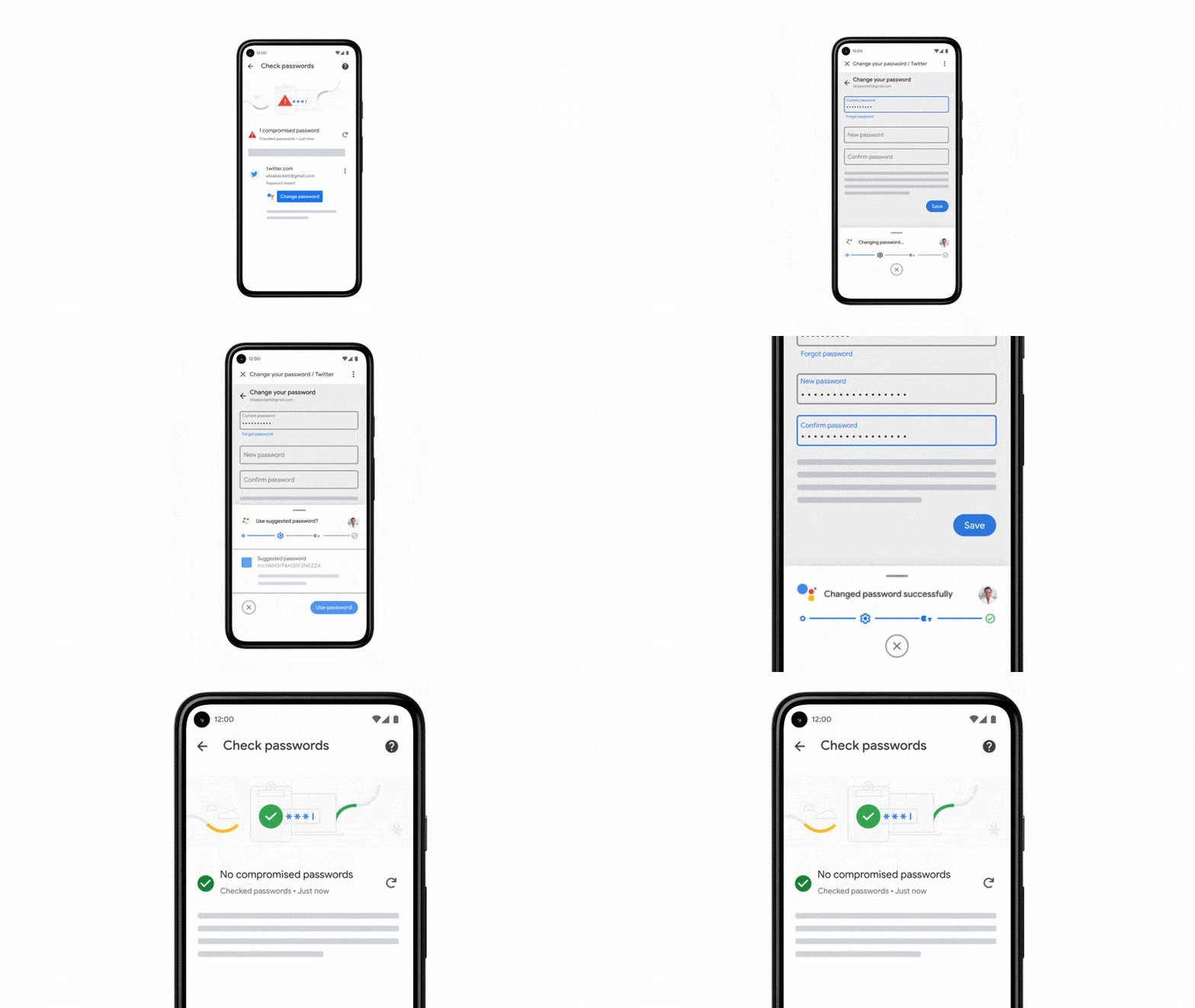
Importantly, you can control the entire experience and choose to go through the change password process manually from the start, or at any point during the process.
And even if a site isn’t supported yet, you can use Chrome’s password manager to help you create strong and unique passwords for your various accounts.
Learn more about Chrome’s automated password changes.
Come join our Tech Tuesday Workshops to learn more about collaboration tools. Signups for August will be available soon.
July 22nd 2021
ACLS Humanities E-Book (HEB) is a digital collection of over 5,400 seminal books in the humanities and related social sciences. Books in the Humanities E-Book collection have been recommended and reviewed by scholars and constituent learned societies of the American Council of Learned Societies.
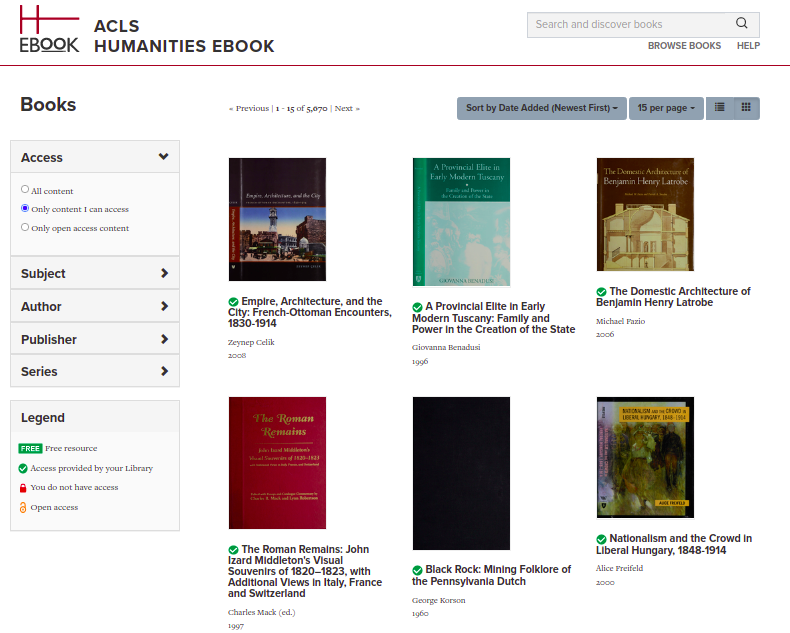
The top e-book categories in the collection are:
ACLS HEB has taken deliberate steps to acquire titles that embrace and engage communities historically overlooked by the academy, especially communities of color.
July 19th 2021
Over the past weekend (August 17th and 18th), LITS Enterprise Services performed scheduled maintenance to the Colleague server. The Colleague database and server have been upgraded to a version supported by Ellucian.
Staff and administration who use Colleague may notice some differences. Among the big changes:
LITS is aware that some users logging into Self Service may encounter delays at login, and is investigating the issue.
If anything in Colleague, Self Service, or WebAdvisor does not appear to be working, please open a Web Help Desk ticket. If you have questions, please don’t hesitate to reach out to the InfoDesk: infodesk@allegheny.edu / 814-332-3768 / extension 3768 from campus phones.
July 8th 2021
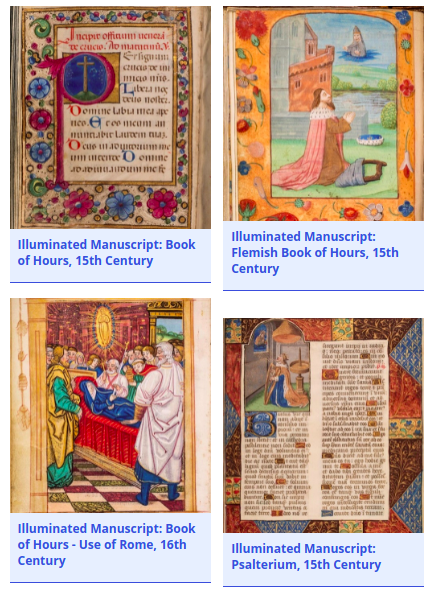
Did you know that Allegheny College is home to four, unique medieval manuscripts? The manuscripts were created between the 15th-16th centuries. The physical manuscripts are very delicate, but LITS has digitized all four manuscripts. You can view all of the manuscripts in Artstor. To view the manuscripts go to the Digital Collections page or go to Artstor and look for Allegheny College Illuminated Manuscripts. Enjoy!
July 6th 2021
In Google Meet, you can replace your background with one supplied by Google, or even upload your own.
This feature is now available in both Google Chrome and the Android app.
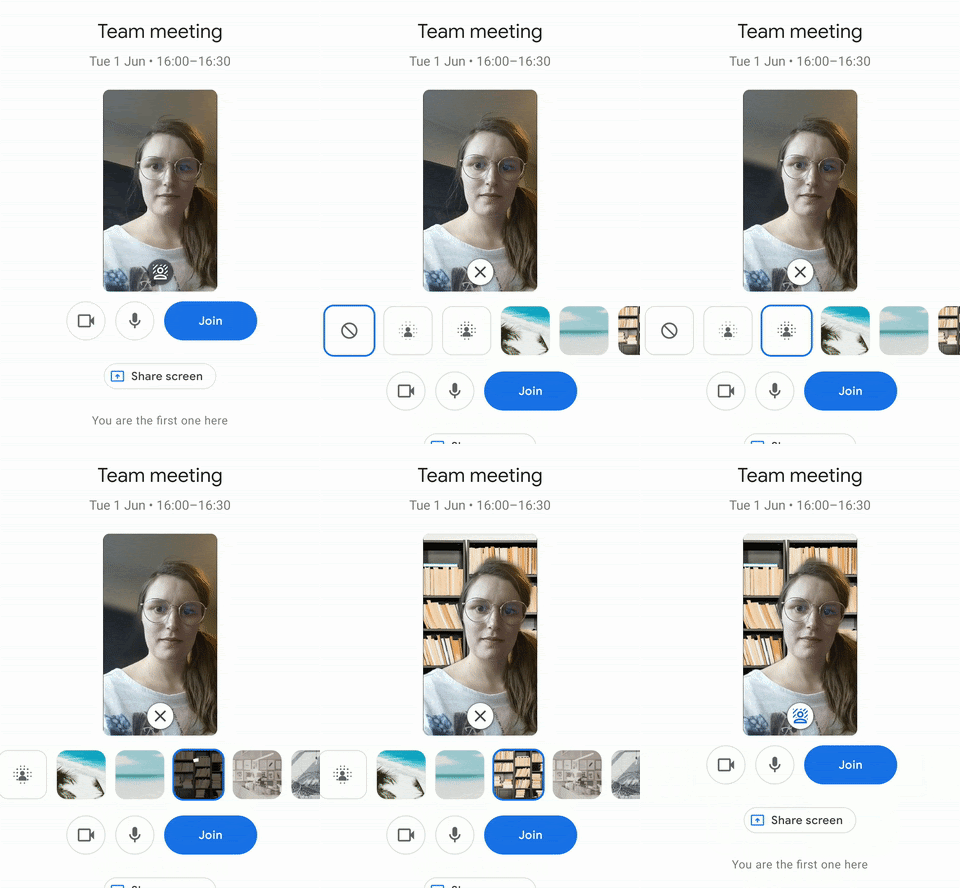
You can also upload your own images to use as a background.
Using Chrome on desktop, you can even use a video. Google offers three videos to choose from, with more on the way. Google also plans to make video backgrounds available for mobile in the future.
Learn more about using Google Meet.